
If you have any questions, reports, suggestions, or requests about Live2D, please send them to this forum.
※We cannot guarantee statements or answers from Live2D staff. Thank you for your understanding in advance.
Live2D Cubism
Cubism Products and Downloads
Cubism product manuals and tutorials
Cubism Editor Manual Cubism Editor Tutorial Cubism SDK Manual Cubism SDK Tutorial
※We cannot guarantee statements or answers from Live2D staff. Thank you for your understanding in advance.
Live2D Cubism
Cubism Products and Downloads
Cubism product manuals and tutorials
Cubism Editor Manual Cubism Editor Tutorial Cubism SDK Manual Cubism SDK Tutorial
[Regarding macOS Tahoe](Updated October 16, 2025)
macOS v26 Tahoe is now supported!
We advise against upgrading your macOS at this time as it may cause Live2D products not to function correctly.
Upgrading macOS can also cause you to lose your Cubism Editor license file.
Please make sure to deactivate your Cubism Editor license before upgrading the macOS.
For more details:
https://help.live2d.com/en/other/other_09/
macOS v26 Tahoe is now supported!
We advise against upgrading your macOS at this time as it may cause Live2D products not to function correctly.
Upgrading macOS can also cause you to lose your Cubism Editor license file.
Please make sure to deactivate your Cubism Editor license before upgrading the macOS.
For more details:
https://help.live2d.com/en/other/other_09/
For inquiries regarding issues with license purchases or license activation errors, please contact us through the email form.
Best Of
Feature Request: Allow Blendshape limit to go -100%
I think it would be great if we could set blendshape limit to -100% and the blendshape parameter flip. It would be really useful for physics using blendshape parameters. There are cases where I want to flip the physics when the character i'm rigging is in different mode from default. This feature would be really useful for vtuber models when they have multiple modes!

The deformer / mesh vertices move along the X and Y axes of the rotated canvas.
Hello! The new feature in version 5.3 is very useful—I really like it (English is not my native language, but I’ll do my best to explain clearly).
When creating animations, characters or facial elements are often not aligned vertically with the canvas. In practice, I usually rotate the canvas so that the body parts are aligned vertically, which makes the workflow much easier.
However, when using [Shift] + mouse drag, the movement still follows the original canvas X/Y axes rather than the X/Y axes of the rotated canvas. Improving this behavior would be a significant help for animation work!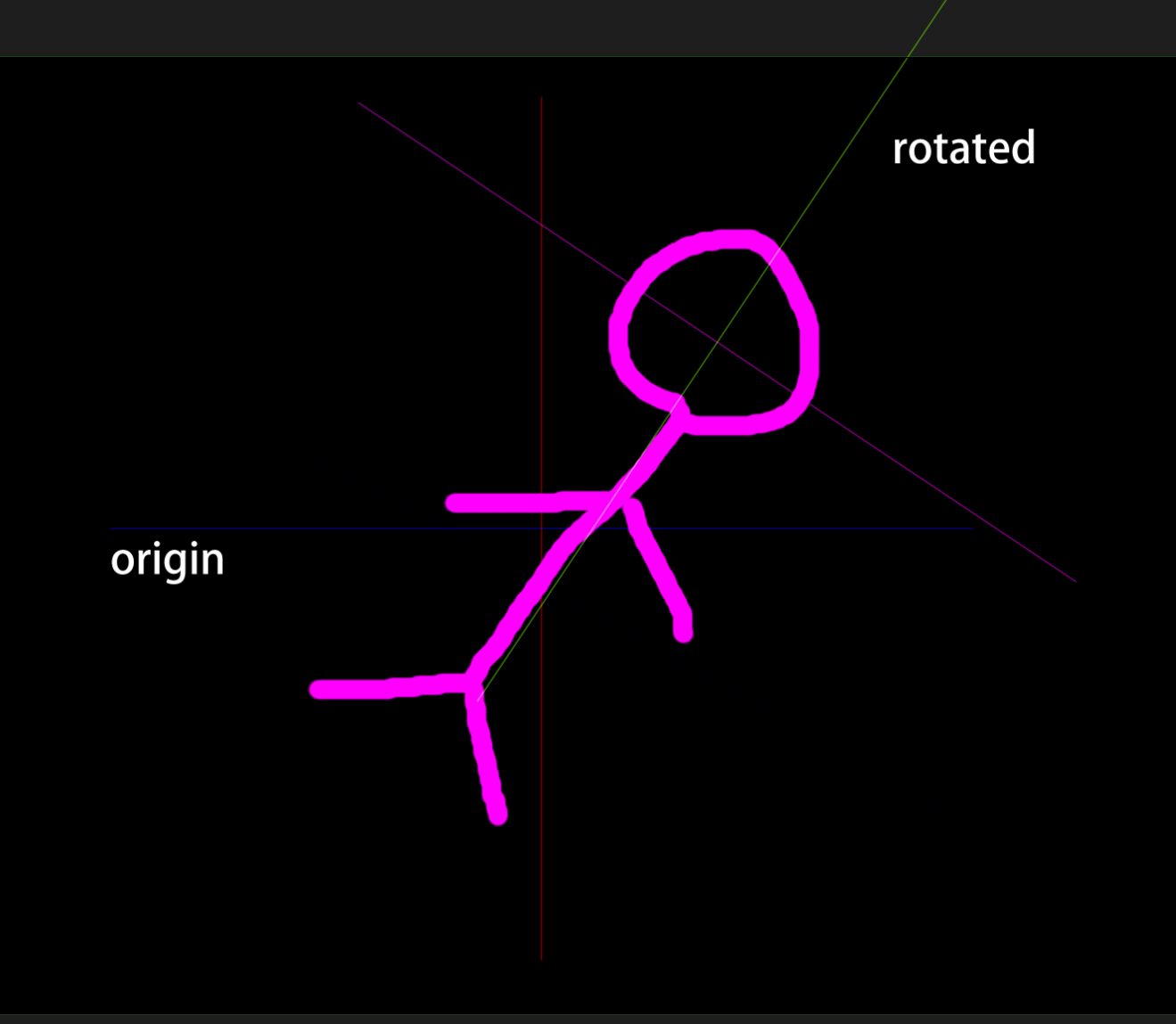
When creating animations, characters or facial elements are often not aligned vertically with the canvas. In practice, I usually rotate the canvas so that the body parts are aligned vertically, which makes the workflow much easier.
However, when using [Shift] + mouse drag, the movement still follows the original canvas X/Y axes rather than the X/Y axes of the rotated canvas. Improving this behavior would be a significant help for animation work!

Re: Glue feature for deformers and a more precise glue weight input
Hi @CyMations and @Katomon
Thank you very much for using our product.
We have shared your request with the development team.
Thank you for your understanding.
Thank you very much for using our product.
We have shared your request with the development team.
Thank you for your understanding.

Collapsible info-popups
Please, make those collapsible so they wouldn't be taking up valuable space on the screen.
People who have been using Live2D for a while DO NOT need those on the screen all the time. They are more irritating at this point than helpful.
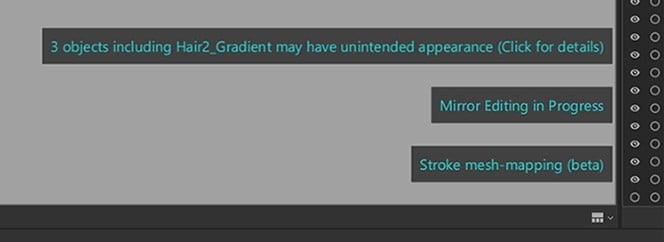
I can also provide a simple idea that could improve this a lot.
(See attached gif)
People who have been using Live2D for a while DO NOT need those on the screen all the time. They are more irritating at this point than helpful.
I can also provide a simple idea that could improve this a lot.
(See attached gif)

I contacted "contact" but never received a reply
I have sent a total of 5 inquiries regarding the 1005 license from the beginning of December to today, but I have not received a reply.
It's not a spam email or a blocking email, and the live2d advertisement emails are coming well, but I want to know what's the situation.
I am frustrated because there is no answer.
It's not a spam email or a blocking email, and the live2d advertisement emails are coming well, but I want to know what's the situation.
I am frustrated because there is no answer.

Lock parameters in animator -- Loop editing support overrides animated Repeat parameters
When I toggle on loop editing support, the keys for my repeat parameters that increase e.g (0 to 4.0), revert to (0 to 0). It's not a major issue, more for quality of life. When there are multiple repeat parameters it can be troublesome. A parameter lock could be useful!

Re: 5.3.00 Unintended Behavior - New Feature Expanding Warp Deformer
Hi @Katomon
We apologize for keeping you waiting for a reply.
We have looked into this and this is the current specification.
If you use this function on a large warp deformer with many divisions, the calculations may not work properly in the expanded areas, so please adjust the size to be appropriate.
Thank you in advance.
We apologize for keeping you waiting for a reply.
We have looked into this and this is the current specification.
If you use this function on a large warp deformer with many divisions, the calculations may not work properly in the expanded areas, so please adjust the size to be appropriate.
Thank you in advance.
Cleaner Display of Parts Request
Hello!
With the new updates in mind for 5.3, I would like to request visual clarity changes for the parts menus
It's easy to get lost and lose track of model parts, and even using the color coding can get difficult if parts have multiple settings.
Because Multiply is different in 5.2 SDK and 5.3 SDK, finding all the multiply layers to change can also be difficult.
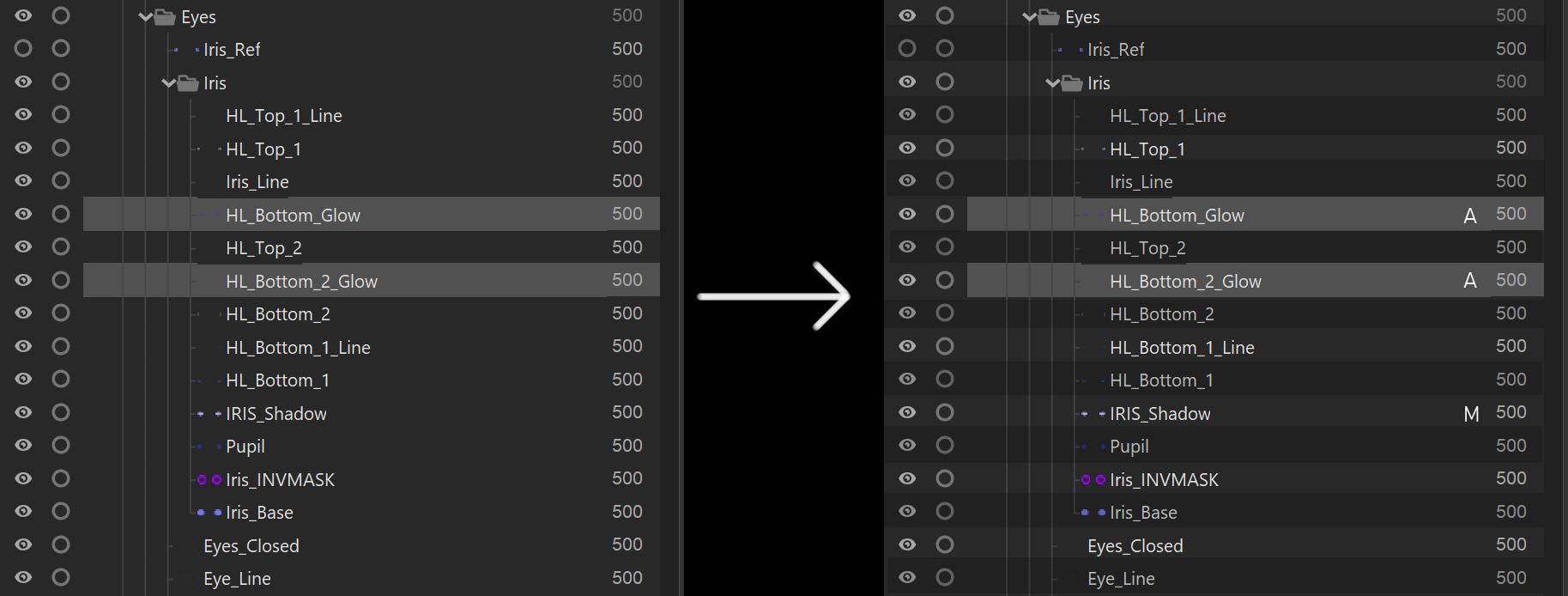
I would like to request an indicator on the layer/part to display it's layer style (only if it's special, normal layers should remain blank for visual clarity)
As well as a checker style line coloring, to allow the eye to better follow a layer to it's details such as draw order and layer style.
Thank you for making Live2D so amazing,
TAG
With the new updates in mind for 5.3, I would like to request visual clarity changes for the parts menus
It's easy to get lost and lose track of model parts, and even using the color coding can get difficult if parts have multiple settings.
Because Multiply is different in 5.2 SDK and 5.3 SDK, finding all the multiply layers to change can also be difficult.
I would like to request an indicator on the layer/part to display it's layer style (only if it's special, normal layers should remain blank for visual clarity)
As well as a checker style line coloring, to allow the eye to better follow a layer to it's details such as draw order and layer style.
Thank you for making Live2D so amazing,
TAG

Re: Deformer unintended snapping
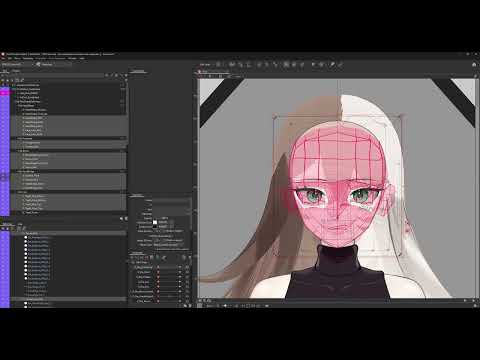
I would like to report that I am still running into the same issue on Live2D 5.3.00 beta4. Here is a youtube video demonstrating the issue on 5.3.00 beta4.
 https://youtu.be/74otyeLAGBA
https://youtu.be/74otyeLAGBA
Re: OpenJDK Memory Spike When Launching Live2D Cubism (Possible Memory Leak?)
!!!!RESOLVED: Clearing the files from \AppData\Roaming\Live2D and allowing the .bat file to recreate this fixed the issue; It loads now.
Thanks for Matt from Live2D Discord Community and Katomon!!!
im sooo happy
Thanks for Matt from Live2D Discord Community and Katomon!!!
im sooo happy
