
Categories
- All Categories
- 1.4K Cubism Editor
- 1.2K Help
- 54 Tips and Tricks
- 200 Feature requests
- 53 Other Live2D Products and Tools
- 1 Cubism Viewer (for OW, for Unity)
- 3 Material Separation Photoshop Plug-in
- 49 Other Live2D Products and Tools (Other Photoshop Scripts, Sample Data, etc.)
- 302 Cubism SDK
- 266 Help
- 11 Tips and Tricks
- 25 Feature Requests
- 182 Community
- 40 General Discussions
- 10 Feature Requests
- 26 Projects, Showcase & Critiques
The deformer / mesh vertices move along the X and Y axes of the rotated canvas.

Hello! The new feature in version 5.3 is very useful—I really like it (English is not my native language, but I’ll do my best to explain clearly).
When creating animations, characters or facial elements are often not aligned vertically with the canvas. In practice, I usually rotate the canvas so that the body parts are aligned vertically, which makes the workflow much easier.
However, when using [Shift] + mouse drag, the movement still follows the original canvas X/Y axes rather than the X/Y axes of the rotated canvas. Improving this behavior would be a significant help for animation work!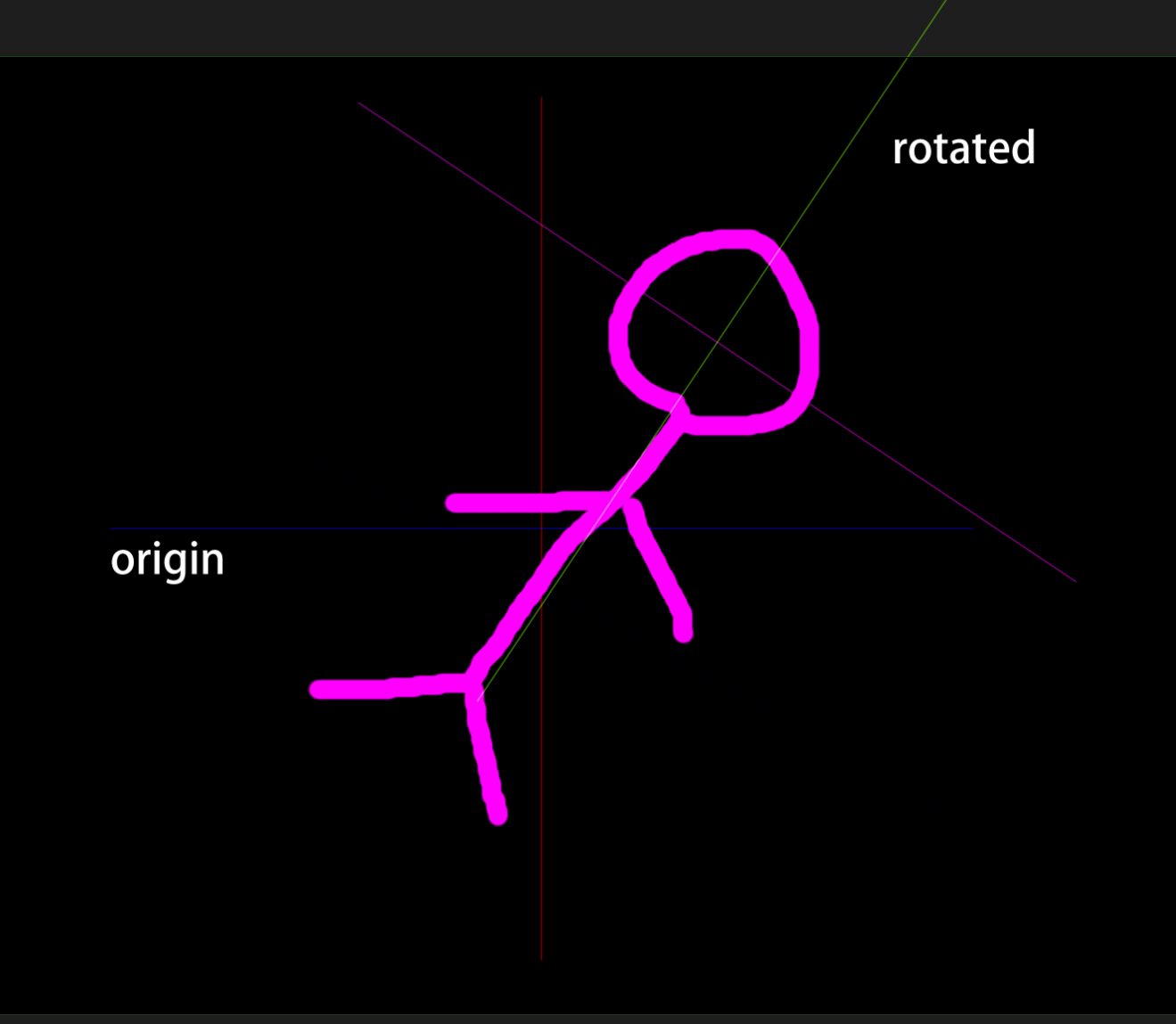
When creating animations, characters or facial elements are often not aligned vertically with the canvas. In practice, I usually rotate the canvas so that the body parts are aligned vertically, which makes the workflow much easier.
However, when using [Shift] + mouse drag, the movement still follows the original canvas X/Y axes rather than the X/Y axes of the rotated canvas. Improving this behavior would be a significant help for animation work!
Tagged:
Comments
Thank you very much for using our product.
We apologize for the delay in our response.
To ensure we share accurate information about your request with the development team, please allow us to confirm a few points.
[Questions]
1. Is my understanding correct that ""the original canvas"" refers to the model data?
2. Thank you for attaching the diagram. However, to avoid any misunderstandings, we would like to share it with the development team.
A video clearly showing what model is being rotated and how, and demonstrating the problematic behavior, would help us understand it correctly.
That concludes my questions.
Thank you for your cooperation.
Regarding the issue, to avoid any misunderstanding, I’ve recorded a short video as a reference. I hope it helps minimize any confusion caused by language differences.
https://drive.google.com/file/d/16DIntRhUPhgm_GS3EhdakDYzmj3aCKtB/view?usp=sharing
Thank you for your response.
We have shared your request with the development team.
Thank you for your cooperation.