
Categories
- All Categories
- 1.4K Cubism Editor
- 1.2K Help
- 54 Tips and Tricks
- 200 Feature requests
- 53 Other Live2D Products and Tools
- 1 Cubism Viewer (for OW, for Unity)
- 3 Material Separation Photoshop Plug-in
- 49 Other Live2D Products and Tools (Other Photoshop Scripts, Sample Data, etc.)
- 302 Cubism SDK
- 266 Help
- 11 Tips and Tricks
- 25 Feature Requests
- 182 Community
- 40 General Discussions
- 10 Feature Requests
- 26 Projects, Showcase & Critiques
[Help] [Cubism 5.3.00beta1] .cmo3 file won’t open, nothing shows after loading.

Hi,
I have a problem with my .cmo3 file. When I open it, the loading bar finishes, but then nothing appears in Cubism Editor. The canvas is just empty.
Sadly, I don’t have a backup of this file since it’s been a while, so I’m really worried I might lose all my work. I hope there’s a way to fix or recover it. :'(
I think the last time I edited this model, it was with Cubism 5.3 alpha.
Here’s my environment info:
Cubism Editor version: Live2D Cubism Editor 5.3 beta
OS & version: Windows 11
PC model: Windows
Graphics card: GeForce RTX 4080 SUPER 16G GAMING X SLIM
CPU: Intel(R) Core(TM) Ultra 9 285K (3.70 GHz)
RAM: DDR5 6400MHz 96GB (48GB×2)
Illustration software used: SAI
-----
And here’s the log from the error:
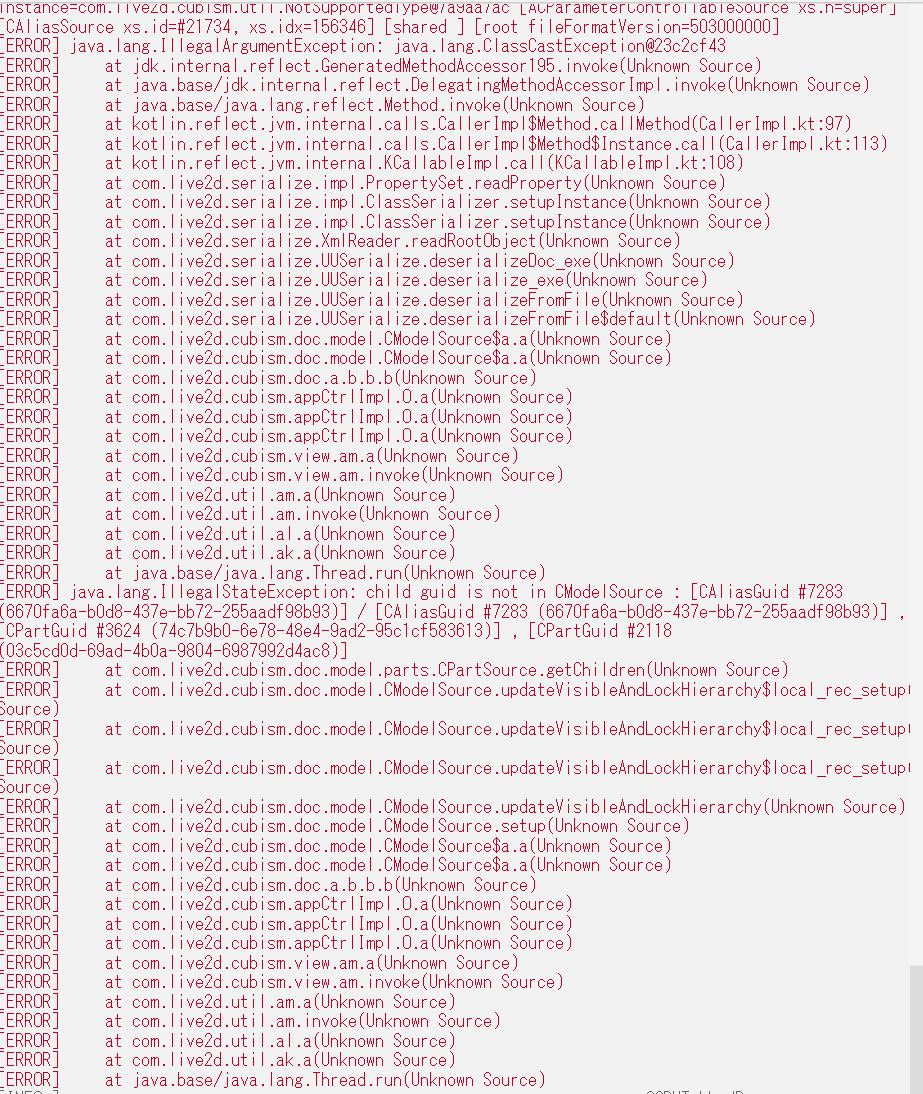
-----
My questions:
Is there any way to repair or recover this .cmo3 file?
What could cause it to load with nothing showing?
Thank you so much for any help!
Tagged:
Comments
Unfortunately, the alpha version is not compatible with the beta version, so you shouldn't be able to open the model.
But files created in Alpha that don't use "Alias" can open in Beta.