
Categories
- All Categories
- 1.4K Cubism Editor
- 1.2K Help
- 54 Tips and Tricks
- 200 Feature requests
- 53 Other Live2D Products and Tools
- 1 Cubism Viewer (for OW, for Unity)
- 3 Material Separation Photoshop Plug-in
- 49 Other Live2D Products and Tools (Other Photoshop Scripts, Sample Data, etc.)
- 302 Cubism SDK
- 266 Help
- 11 Tips and Tricks
- 25 Feature Requests
- 182 Community
- 40 General Discussions
- 10 Feature Requests
- 26 Projects, Showcase & Critiques
※We cannot guarantee statements or answers from Live2D staff. Thank you for your understanding in advance.
<b class="Bold"><big>Live2D Cubism</big></b>
<a href="https://www.live2d.com/en/"><alt="Cubism Products and Downloads">Cubism Products and Downloads</a>
<b class="Bold"><big>Cubism product manuals and tutorials</big></b>
<a href="https://docs.live2d.com/cubism-editor-manual/top/?locale=en_us"><alt="Cubism Editor Manual">Cubism Editor Manual</a> <a href="https://docs.live2d.com/cubism-editor-tutorials/top/?locale=en_us"><alt="Cubism Editor Tutorial">Cubism Editor Tutorial</a> <a href="https://docs.live2d.com/cubism-sdk-manual/top/?locale=en_us"><alt="Cubism SDK Manual">Cubism SDK Manual</a> <a href="https://docs.live2d.com/cubism-sdk-tutorials/top/?locale=en_us"><alt="Cubism SDK Tutorial">Cubism SDK Tutorial</a>
[Regarding macOS Tahoe](Updated October 16, 2025)
macOS v26 Tahoe is now supported!
We advise against upgrading your macOS at this time as it may cause Live2D products not to function correctly.
Upgrading macOS can also cause you to lose your Cubism Editor license file.
Please make sure to deactivate your Cubism Editor license before upgrading the macOS.
For more details:
https://help.live2d.com/en/other/other_09/
Texture Atlas not opening

Hi! I'm currently working on a Vtuber model, for which i would like to create a texture atlas.
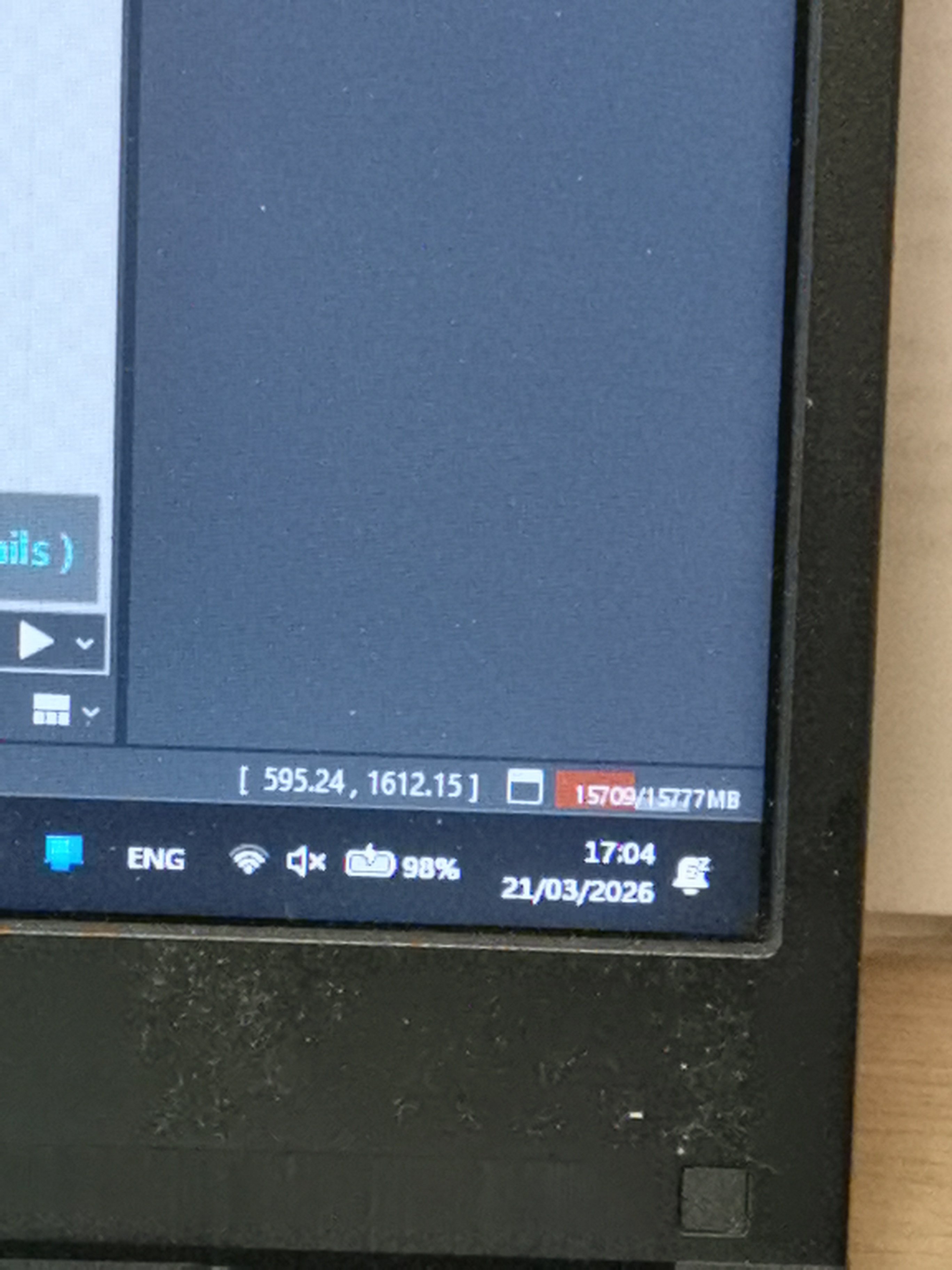
However, each time I click ctrl + t or open 'Edit texture atlas' from the menu and set it to any resolution, everything freezes for a little while and the performance bar in the bottom right corner fills up with red and stays that way.
The menu for the texture atlas does not open and when I try to save, an error window shows up telling me that Java doesn't have enough space or something. I end up closing the program without saving. The last time I tried opening the texture atlas (it did not open) and saving afterwards, a blank window showed up. I am now unable to close it and the entire program.
I tried replacing the PSDs but I'm not sure if they actually did get replaced as even though I replaced all of the PSDs (I had some parts in separate PSD files), it only said 'replacement completed' with one of the PSDs. In the end, I still could not open the texture atlas.
Is there an issue with my laptop or are there still corrupted files?
Pls help me, thanks in advance
Answers
The current screen
Thank you for using our product.
First, please tell us about your PC environment.
- OS & Version: (e.g., Windows 10, macOS High Sierra)
- PC Model: (e.g., MacBook Pro 2017)
- Graphics Specifications: (e.g., GeForce GTX 950M)
- CPU: (e.g., Intel Core i7-7700)
- Memory: (e.g., 8GB)
- Illustration Software used: (e.g., Photoshop, Clip Studio, SAI)
Next, please store the model file and log file experiencing the problem in the following data box.
https://biz.datadeliver.net/posts/WY7gTipTiQzR
Please note that this data box is only accessible to the development team.
For instructions on how to obtain logs, please see here:
https://help.live2d.com/en/other/other_22/
Thank you for your cooperation.