
Categories
- All Categories
- 1.4K Cubism Editor
- 1.2K Help
- 54 Tips and Tricks
- 200 Feature requests
- 53 Other Live2D Products and Tools
- 1 Cubism Viewer (for OW, for Unity)
- 3 Material Separation Photoshop Plug-in
- 49 Other Live2D Products and Tools (Other Photoshop Scripts, Sample Data, etc.)
- 302 Cubism SDK
- 266 Help
- 11 Tips and Tricks
- 25 Feature Requests
- 182 Community
- 40 General Discussions
- 10 Feature Requests
- 26 Projects, Showcase & Critiques
If you have any questions, reports, suggestions, or requests about Live2D, please send them to this forum.
※We cannot guarantee statements or answers from Live2D staff. Thank you for your understanding in advance.
Live2D Cubism
Cubism Products and Downloads
Cubism product manuals and tutorials
Cubism Editor Manual
Cubism Editor Tutorial
Cubism SDK Manual
Cubism SDK Tutorial
[Regarding macOS Tahoe](Updated October 16, 2025)
macOS v26 Tahoe is now supported!
We advise against upgrading your macOS at this time as it may cause Live2D products not to function correctly.
Upgrading macOS can also cause you to lose your Cubism Editor license file.
Please make sure to deactivate your Cubism Editor license before upgrading the macOS.
For more details:
https://help.live2d.com/en/other/other_09/
For inquiries regarding issues with license purchases or license activation errors, please contact us through the email form.
Fail to export model to moc3 file

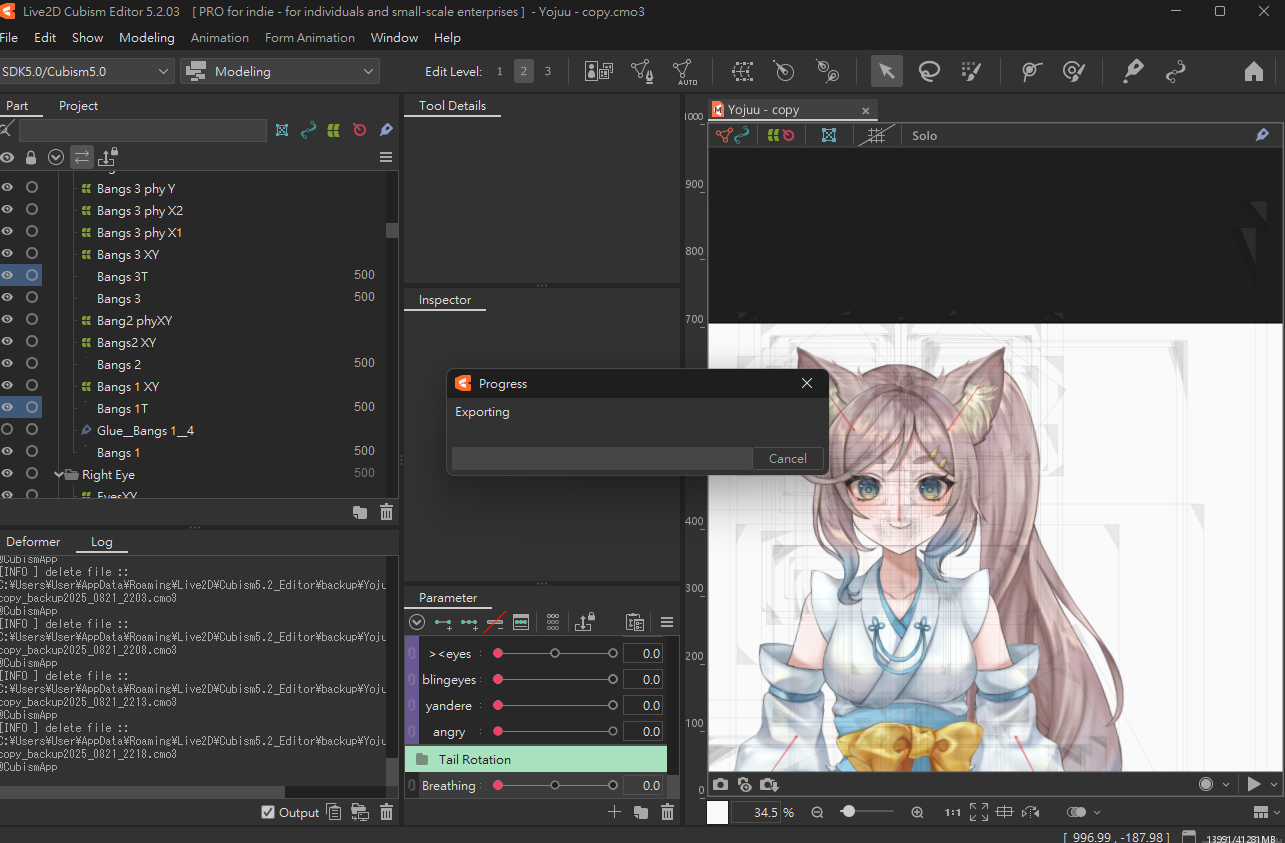
After I clicked the “export” button, it pops up a small "exporting" window, however the progress bar is 0% no matter how long I wait, and the whole application freeze out that I need to terminate the application using task manager. My file is quite large such that it is 1gb, so I tried to reduce texture atlas size, delete unused parts and reduce extended interpolation but still cannot succeed. After I restart the application, the log doesn’t show any error message and my model file does not contain any repeat parameters.
May I ask is there any solution for my problem? Also, during rigging, I copied and reflected some symmetrical parts to another side for convenience. For example, I finished rigging the left eye of the model, then I will just copy the left eye and its child object and reflect to become a finished right eye. However, the texture atlas only shows the left eye but not also the copied right eye, may I ask is it related to the failure of exporting?
Attached is the freezing out screenshot, happy to provide more information if needed. hope to hearing back soon as I do not want to start over:(
Answers
Thanks for using our product.
First, please tell us about your PC environment.
- OS & Version: (e.g. Windows 10, macOS HighSierra)
- PC Model: (e.g. MacBookPro 2017)
- Graphics Specifications: (e.g. GeForce GTX 950M)
- CPU: (e.g. Intel Core i7-7700)
- Memory: (e.g. 8GB)
- Illustration Software used: (e.g. Photoshop, ClipStudio, SAI)
- Attach screenshot or capture video to show your problem
Next, please store the model and log files that are causing the problem in the following data box.
https://biz.datadeliver.net/posts/7ILzCyYfEYPI
Note that this databox will only be made available to our development team.
For information on how to retrieve the logs, please check here.
https://help.live2d.com/en/other/other_22/
Best regards.
Hi ookubo, the problem is solved as I deleted some unused layers and psd files on project section, I wondered those excessive layers are the main reason to make the application crash during exporting. Thank you for reaching me out anyway