
Categories
- All Categories
- 1.4K Cubism Editor
- 1.2K Help
- 54 Tips and Tricks
- 200 Feature requests
- 53 Other Live2D Products and Tools
- 1 Cubism Viewer (for OW, for Unity)
- 3 Material Separation Photoshop Plug-in
- 49 Other Live2D Products and Tools (Other Photoshop Scripts, Sample Data, etc.)
- 302 Cubism SDK
- 266 Help
- 11 Tips and Tricks
- 25 Feature Requests
- 182 Community
- 40 General Discussions
- 10 Feature Requests
- 26 Projects, Showcase & Critiques
Tiny Cubism Editor/Text

Hi everyone,
I'm encoutering a problem with the way my computer displays Live 2D Cubism Editor:
as shown in attached screenshot
The User Interface is just ...tiny.
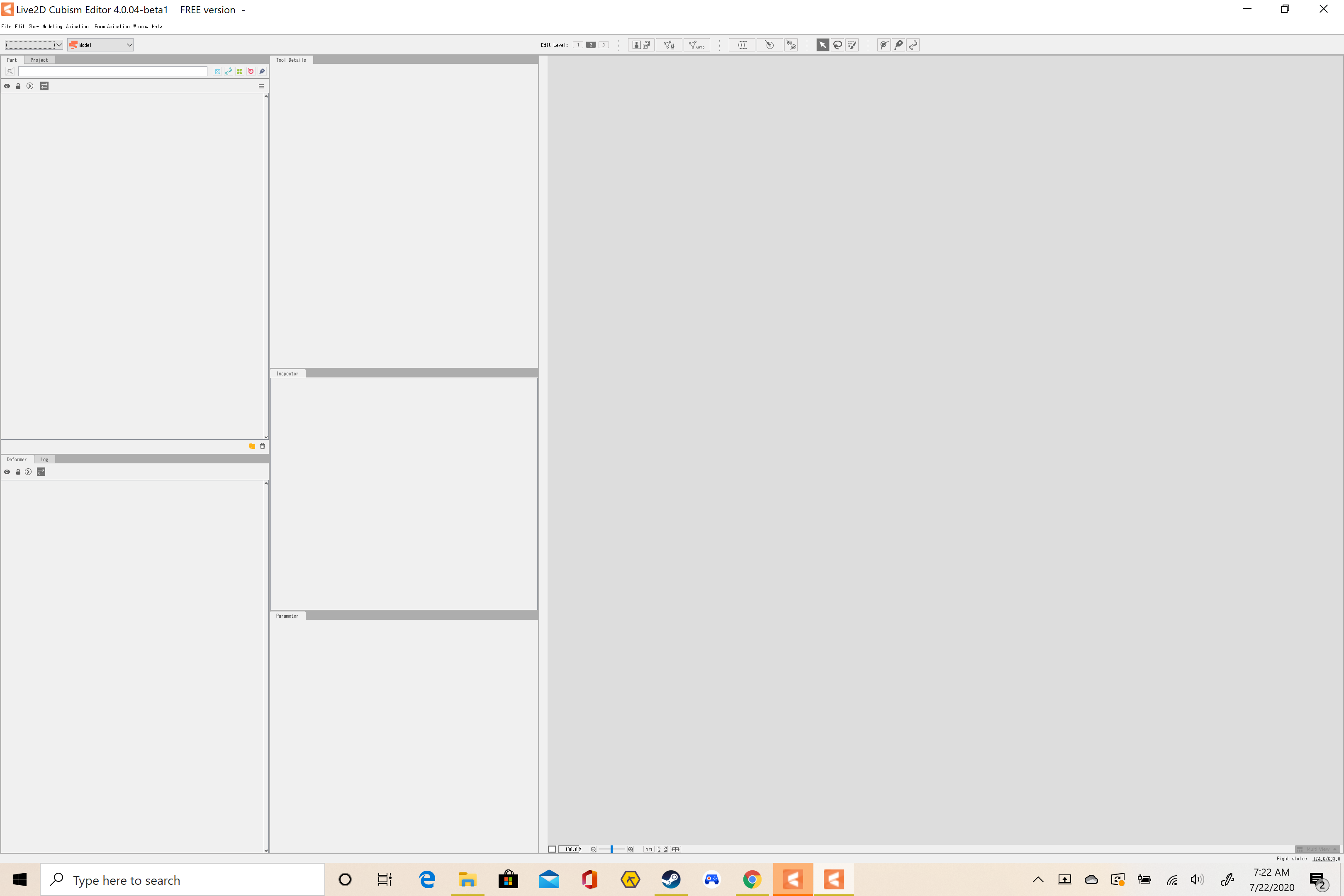
My display settings are 3840x2160, I've changed them for lower resolutions and/or change the Windows's auto-scaling percentage to the maximum, but unfortunately, that didn't do the trick and the UI is still displayed tiny. I am using windows 10 and have tried changing the Compatibility properties but it has not worked.
Has any of you met similar problems? I thought the simplest way to solve that would be to change the display preferences and settings of Cubism editor, but... there doesn't seem to be much help either.
Anyway, thanks for your help and if you have any clues or processes to solve this, that would be great!
Best,
I'm encoutering a problem with the way my computer displays Live 2D Cubism Editor:
as shown in attached screenshot
The User Interface is just ...tiny.
My display settings are 3840x2160, I've changed them for lower resolutions and/or change the Windows's auto-scaling percentage to the maximum, but unfortunately, that didn't do the trick and the UI is still displayed tiny. I am using windows 10 and have tried changing the Compatibility properties but it has not worked.
Has any of you met similar problems? I thought the simplest way to solve that would be to change the display preferences and settings of Cubism editor, but... there doesn't seem to be much help either.
Anyway, thanks for your help and if you have any clues or processes to solve this, that would be great!
Best,
Comments
Thank you for your interest in our product.
Cubism Editor does not currently support 4K monitors.
Try changing the settings using the attached image procedure.
The problem may be resolved.
Please try it.
Best regards.