
Categories
- All Categories
- 1.4K Cubism Editor
- 1.2K Help
- 54 Tips and Tricks
- 200 Feature requests
- 51 Other Live2D Products and Tools
- 1 Cubism Viewer (for OW, for Unity)
- 3 Material Separation Photoshop Plug-in
- 47 Other Live2D Products and Tools (Other Photoshop Scripts, Sample Data, etc.)
- 302 Cubism SDK
- 266 Help
- 11 Tips and Tricks
- 25 Feature Requests
- 182 Community
- 40 General Discussions
- 10 Feature Requests
- 26 Projects, Showcase & Critiques
If you have any questions, reports, suggestions, or requests about Live2D, please send them to this forum.
※We cannot guarantee statements or answers from Live2D staff. Thank you for your understanding in advance.
Live2D Cubism
Cubism Products and Downloads
Cubism product manuals and tutorials
Cubism Editor Manual Cubism Editor Tutorial Cubism SDK Manual Cubism SDK Tutorial
※We cannot guarantee statements or answers from Live2D staff. Thank you for your understanding in advance.
Live2D Cubism
Cubism Products and Downloads
Cubism product manuals and tutorials
Cubism Editor Manual Cubism Editor Tutorial Cubism SDK Manual Cubism SDK Tutorial
[About Cubism Editor / SDK 5.4 Alpha](Updated: July 14, 2026)
You can download the alpha installer from the dedicated forum below.
If you have any feedback regarding the alpha version, including feature requests or bug reports, please use the same forum.
Cubism Editor / SDK 5.4 Alpha Forum
https://creatorsforum.live2d.com/c/cubismeditorsdk54alpha/
[Regarding macOS Tahoe](Updated October 16, 2025)
macOS v26 Tahoe is now supported!
We advise against upgrading your macOS at this time as it may cause Live2D products not to function correctly.
Upgrading macOS can also cause you to lose your Cubism Editor license file.
Please make sure to deactivate your Cubism Editor license before upgrading the macOS.
For more details:
https://help.live2d.com/en/other/other_09/
You can download the alpha installer from the dedicated forum below.
If you have any feedback regarding the alpha version, including feature requests or bug reports, please use the same forum.
Cubism Editor / SDK 5.4 Alpha Forum
https://creatorsforum.live2d.com/c/cubismeditorsdk54alpha/
[Regarding macOS Tahoe](Updated October 16, 2025)
macOS v26 Tahoe is now supported!
We advise against upgrading your macOS at this time as it may cause Live2D products not to function correctly.
Upgrading macOS can also cause you to lose your Cubism Editor license file.
Please make sure to deactivate your Cubism Editor license before upgrading the macOS.
For more details:
https://help.live2d.com/en/other/other_09/
For inquiries regarding issues with license purchases or license activation errors, please contact us through the email form.
Cannot open Cubism Editor on Mac M4

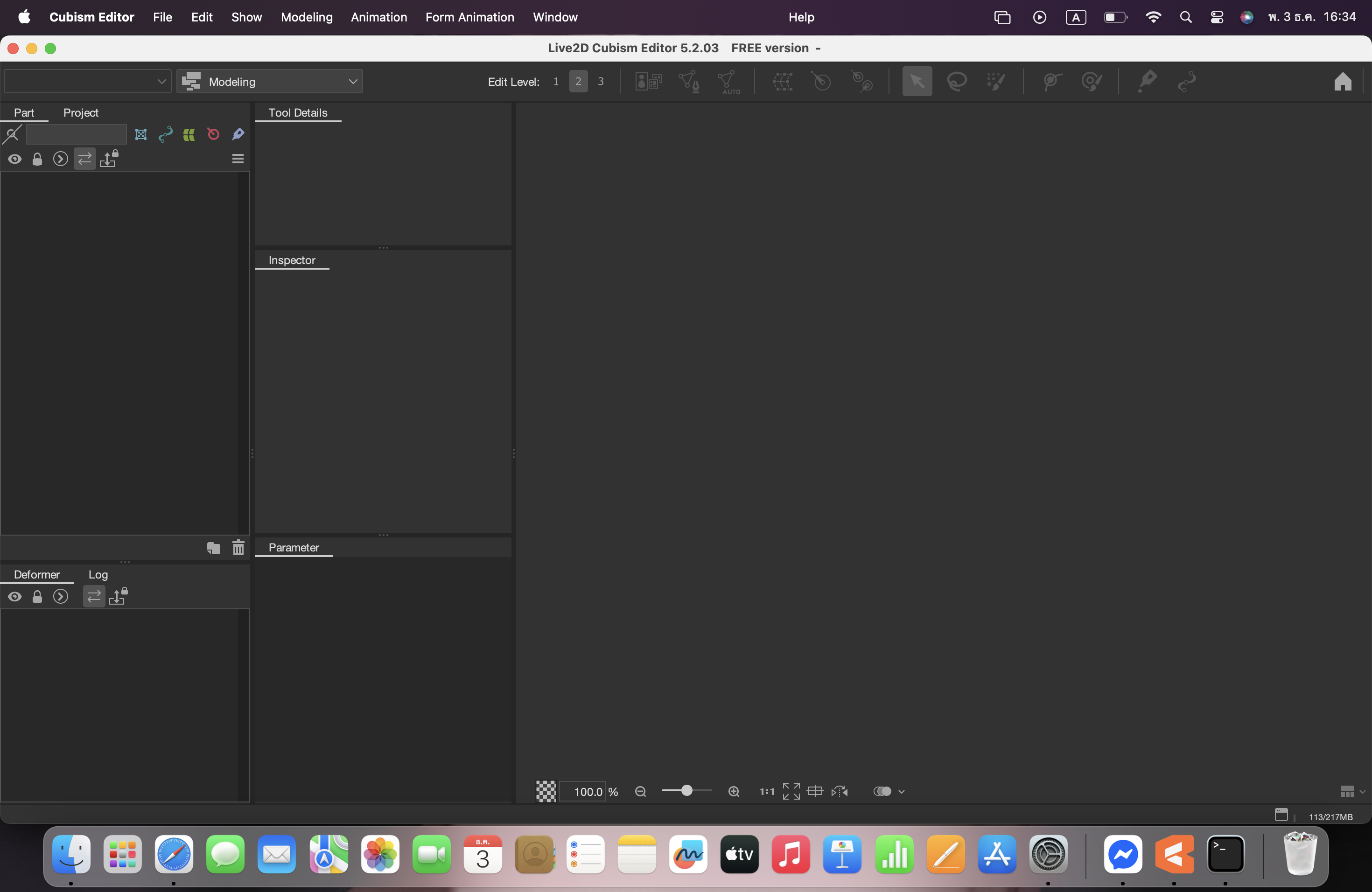
When I open the program, it freezes and I can't press any buttons, even though the program was working fine before.
my mac :
MacBook Air m4
Memory: 16 GB
MacOS Sequoia: version 15.3
Tagged:
Comments
Thank you for using our product.
We sincerely apologize for any inconvenience caused.
We have received similar inquiries via email, but we are replying here in order to share our knowledge with other users.
Therefore, we will not reply to emails.
Thank you for your understanding.
First, please check your environment.
Do you have multiple screens, such as a monitor and LCD pen tablet?
If so, it is possible that a window is displayed on another display, preventing you from operating the main display.
You may be able to operate the main display by finding and closing any windows displayed by Cubism Editor.
Also, these windows may be hidden behind the Cubism Editor window, so please check.
Thank you.
Thanks for answering my question. I don't have an LCD pen or any other display, but there is another window displayed in the background. However, it takes a long time for this window to disappear. Once it disappears, the program seems to be able to mute normally, but I can't open any files.
The file loading, also takes a long time.
There are no other display windows, but I can't open any files.
Thank you for sending us the screenshot.
Our development team will review it, so please wait a moment.
Thank you in advance.
Thank you for using our product.
Does this issue occur when opening the sample model we distribute?
Please check.
You can download the sample model from the following URL:
https://www.live2d.com/en/learn/sample/
Please store the model file and log file that are causing the issue in the data box below.
https://biz.datadeliver.net/posts/pWWscPBHHEhq
Please note that this data box will only be made available to the development team.
For information on how to retrieve logs, please see here:
https://help.live2d.com/en/other/other_22/
Thank you for your cooperation.
Thank you for providing the data.
We tested it in our environment and it seemed to launch without any issues.
We will continue to investigate, so please confirm the following two points.
1.
What software did you use to create the PSD?
2.
If there are any resident applications or other applications running at the same time, does closing them before launching the app improve the situation?
Thank you in advance.