
Categories
- All Categories
- 1.4K Cubism Editor
- 1.2K Help
- 54 Tips and Tricks
- 200 Feature requests
- 51 Other Live2D Products and Tools
- 1 Cubism Viewer (for OW, for Unity)
- 3 Material Separation Photoshop Plug-in
- 47 Other Live2D Products and Tools (Other Photoshop Scripts, Sample Data, etc.)
- 302 Cubism SDK
- 266 Help
- 11 Tips and Tricks
- 25 Feature Requests
- 182 Community
- 40 General Discussions
- 10 Feature Requests
- 26 Projects, Showcase & Critiques
Question regarding switching motion files

Say that I have a model with two motion files, one is idle and one is animation with closed eyes.
At first loaded, the model would play the idle animation fine.
Then I switch motion to closed eyes, the model will close its eyes.
However when I switch back to idle motion, the model eyes is stay closed?
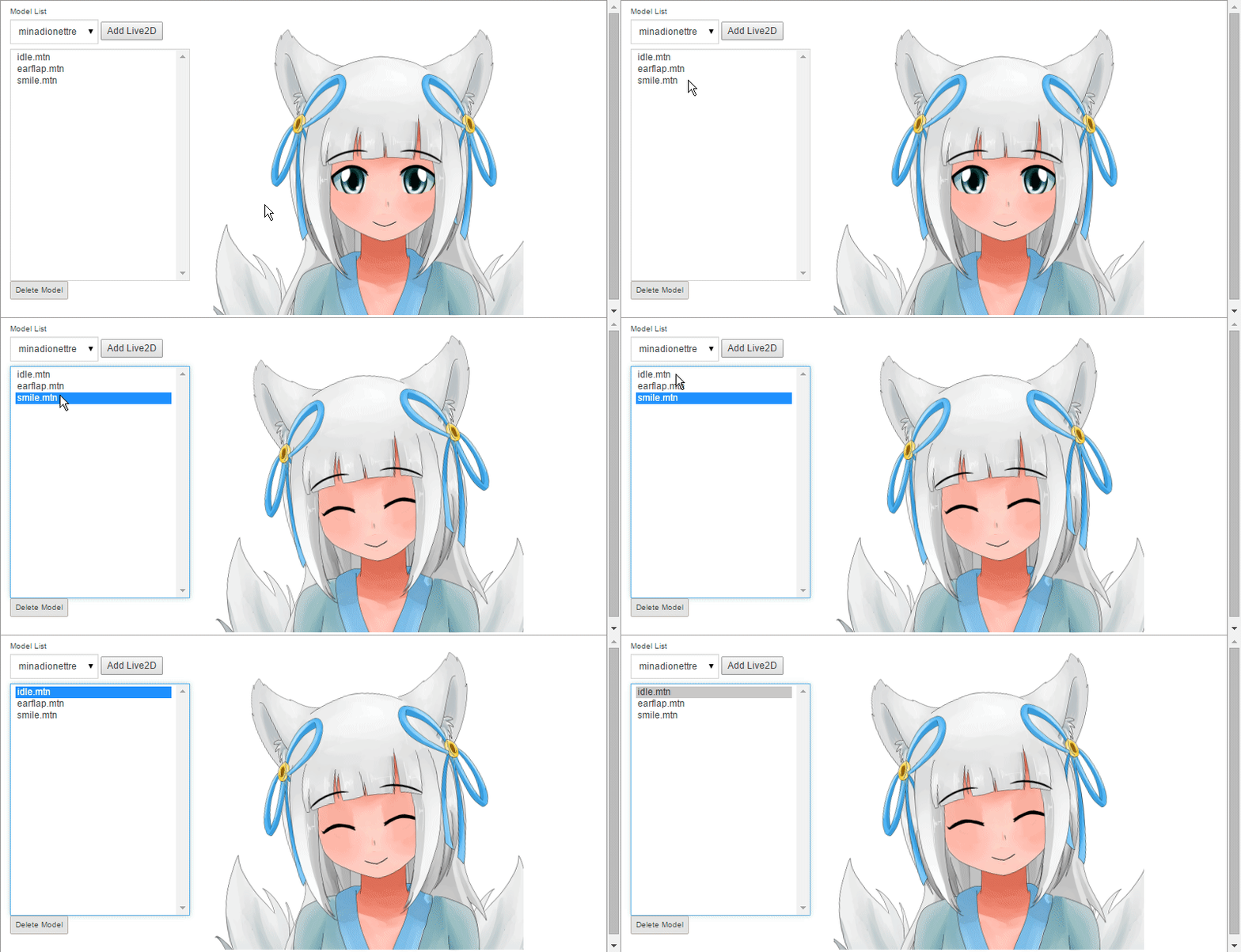
I'm kinda new to mess up with Animator so if anyone could point me to right direction that would be nice
At first loaded, the model would play the idle animation fine.
Then I switch motion to closed eyes, the model will close its eyes.
However when I switch back to idle motion, the model eyes is stay closed?
I'm kinda new to mess up with Animator so if anyone could point me to right direction that would be nice
Comments
what a cute character!
i think what's happening is that the eye keyframe is empty in the idle motion, so it takes on whatever eye keyframes from a previous motion
try adding an open eye keyframe to the beginning of the idle motion and see if it fixes the problem!
what a cute character!
i think what's happening is that the eye keyframe is empty in the idle motion, so it takes on whatever eye keyframes from a previous motion
try adding an open eye keyframe to the beginning of the idle motion and see if it fixes the problem!
if possible, could you write the solution here? so that anybody searching for the same problem on google can find the answer ^^
Wow, that model looks great!