
Categories
- All Categories
- 1.4K Cubism Editor
- 1.2K Help
- 54 Tips and Tricks
- 186 Feature requests
- 50 Other Live2D Products and Tools
- Cubism Viewer (for OW, for Unity)
- 3 Material Separation Photoshop Plug-in
- 47 Other Live2D Products and Tools (Other Photoshop Scripts, Sample Data, etc.)
- 291 Cubism SDK
- 260 Help
- 11 Tips and Tricks
- 20 Feature Requests
- 179 Community
- 37 General Discussions
- 10 Feature Requests
- 26 Projects, Showcase & Critiques
If you have any questions, reports, suggestions, or requests about Live2D, please send them to this forum.
※We cannot guarantee statements or answers from Live2D staff. Thank you for your understanding in advance.
Live2D Cubism
Cubism Products and Downloads
Cubism product manuals and tutorials
Cubism Editor Manual Cubism Editor Tutorial Cubism SDK Manual Cubism SDK Tutorial
※We cannot guarantee statements or answers from Live2D staff. Thank you for your understanding in advance.
Live2D Cubism
Cubism Products and Downloads
Cubism product manuals and tutorials
Cubism Editor Manual Cubism Editor Tutorial Cubism SDK Manual Cubism SDK Tutorial
[Regarding macOS Tahoe](Updated October 16, 2025)
macOS v26 Tahoe is now supported!
We advise against upgrading your macOS at this time as it may cause Live2D products not to function correctly.
Upgrading macOS can also cause you to lose your Cubism Editor license file.
Please make sure to deactivate your Cubism Editor license before upgrading the macOS.
For more details:
https://help.live2d.com/en/other/other_09/
macOS v26 Tahoe is now supported!
We advise against upgrading your macOS at this time as it may cause Live2D products not to function correctly.
Upgrading macOS can also cause you to lose your Cubism Editor license file.
Please make sure to deactivate your Cubism Editor license before upgrading the macOS.
For more details:
https://help.live2d.com/en/other/other_09/
For inquiries regarding issues with license purchases or license activation errors, please contact us through the email form.
Can't open Live2D Editor - Only part of the window loads

in Help
SPECS:
- Live2D Software Version: 5.3
- OS & Version: Windows 11
- Graphics Specifications: NVIDIA RTX 4070 Ti
- CPU: 13th Gen Intel Core i7-13700K
- Memory: 32GB
- Illustration Software used: ClipStudio Paint
----------------
Hello! I suddenly had an issue where my Live2D Editor won't open. The viewer works perfectly fine, it's only the editor.
When I open the program it is basically interactable with parts of the window blank. If I minimise the window it becomes completely grey. Nothing can be clicked, I can only minimise and resize the window and I can only close it via the Task Manager. It loads normally maybe once every 25 resets but then I am unable to drag and drop any .PSDs.
I have tried:
1. A full uninstall and reinstallation and restarting the computer.
2. Updating graphics drivers. Running in administrator. Running compatibility mode with all the options.
3. Everything in this manual: https://docs.live2d.com/en/cubism-editor-manual/fault-map/ (I've attached the log.txt from my last attempt)
4. Disconnecting my tablet and it's drivers and disconnecting my second monitor.
5. Changing screen resolution.
6. Turning off 'Show windows contents while dragging' and restarting the computer
Here's how the window looks after resizing:
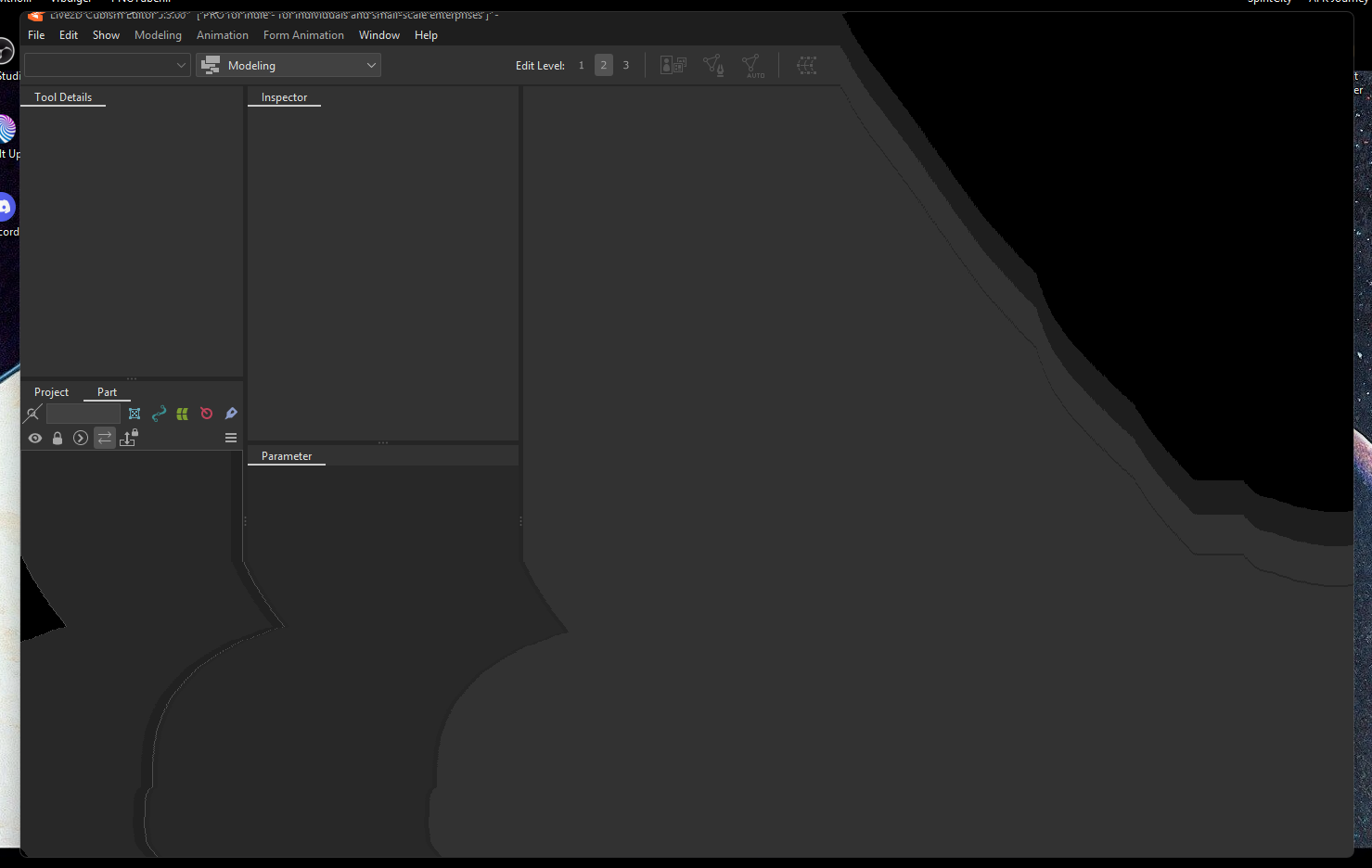
Here's a recording of when it opens: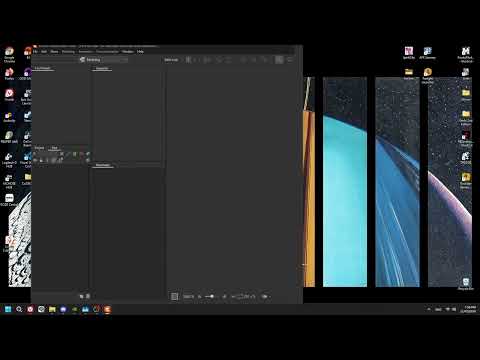 https://youtu.be/pV1yjmQvAOs
I wondered if it was something to do with my graphics settings, but I'm at a loss on what to do. Any help would be greatly appreciated :')
- Live2D Software Version: 5.3
- OS & Version: Windows 11
- Graphics Specifications: NVIDIA RTX 4070 Ti
- CPU: 13th Gen Intel Core i7-13700K
- Memory: 32GB
- Illustration Software used: ClipStudio Paint
----------------
Hello! I suddenly had an issue where my Live2D Editor won't open. The viewer works perfectly fine, it's only the editor.
When I open the program it is basically interactable with parts of the window blank. If I minimise the window it becomes completely grey. Nothing can be clicked, I can only minimise and resize the window and I can only close it via the Task Manager. It loads normally maybe once every 25 resets but then I am unable to drag and drop any .PSDs.
I have tried:
1. A full uninstall and reinstallation and restarting the computer.
2. Updating graphics drivers. Running in administrator. Running compatibility mode with all the options.
3. Everything in this manual: https://docs.live2d.com/en/cubism-editor-manual/fault-map/ (I've attached the log.txt from my last attempt)
4. Disconnecting my tablet and it's drivers and disconnecting my second monitor.
5. Changing screen resolution.
6. Turning off 'Show windows contents while dragging' and restarting the computer
Here's how the window looks after resizing:
Here's a recording of when it opens:
https://youtu.be/pV1yjmQvAOsI wondered if it was something to do with my graphics settings, but I'm at a loss on what to do. Any help would be greatly appreciated :')
Tagged:
Comments
There is a big problem with your CPU Gen and they are melting down, if the damage is done already you will need to send it to guaranty >_ <
Really hoping it's not a CPU issue :') This issue is only affecting Live2D and no other programs. Video games run fine, so I'm crossing my fingers. ><
Thank you for using our product.
Please answer the following two questions regarding this issue:
1. Are there any resident software programs? (Mouse settings, antivirus software, etc.)
2. Does the same problem occur with Cubism 5.2?
You can download Cubism 5.2 here:
https://www.live2d.com/en/cubism/download/editor/
Thank you in advance.
1. I have Logitech GHUB
2. Two days ago, when it wasn't working, 5.2 did not work. Today both 5.2 and 5.3 works fine
Thank you for trying to help. I'm not sure what fixed the issue but it's acting completely normal now. I'll keep monitoring to see if something comes up again
Thank you for reporting your issue.
Please let us know if you experience any further problems.