
Categories
- All Categories
- 1.4K Cubism Editor
- 1.2K Help
- 54 Tips and Tricks
- 200 Feature requests
- 51 Other Live2D Products and Tools
- 1 Cubism Viewer (for OW, for Unity)
- 3 Material Separation Photoshop Plug-in
- 47 Other Live2D Products and Tools (Other Photoshop Scripts, Sample Data, etc.)
- 302 Cubism SDK
- 266 Help
- 11 Tips and Tricks
- 25 Feature Requests
- 182 Community
- 40 General Discussions
- 10 Feature Requests
- 26 Projects, Showcase & Critiques
Stroke Mesh-Mapping - Variable Density

Hello L2D
Wanted to request if a feature could be added to the Mesh Mapping
Right now when you do Ctrl + click-drag we can change the mesh width
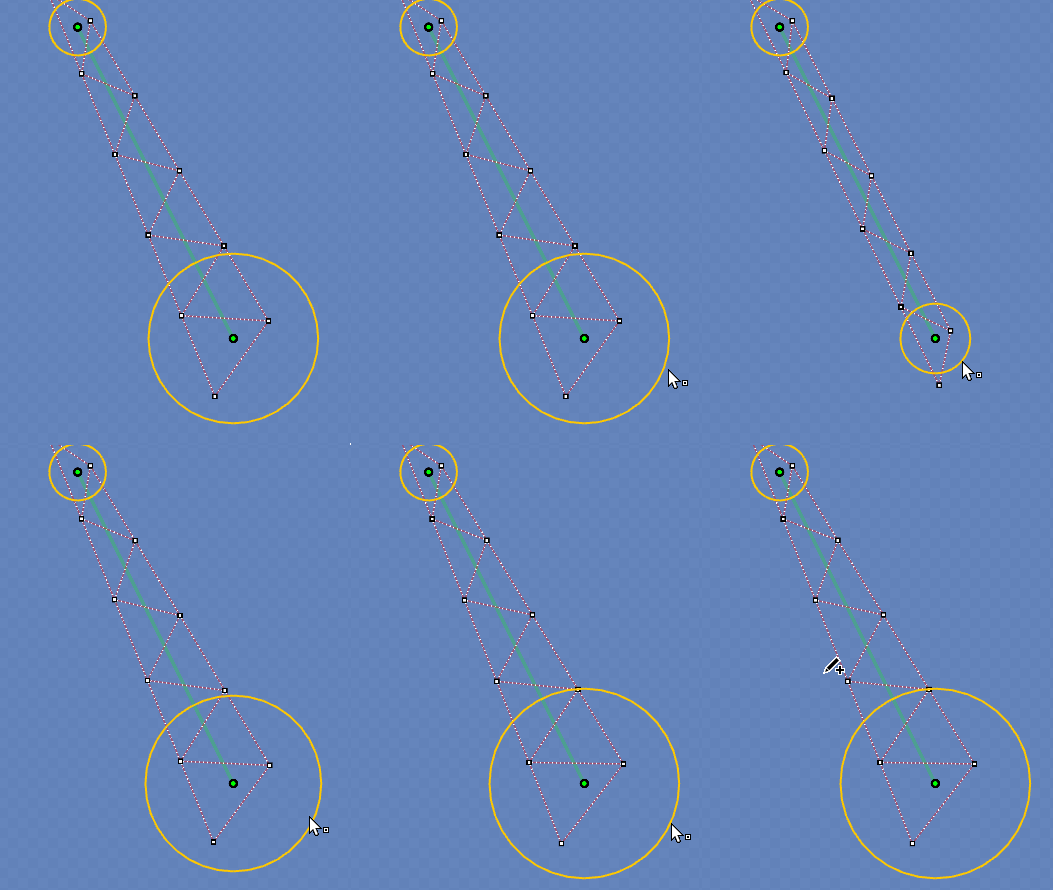
Could be added that with other key (Alt+click-drag for example) to change the mesh density
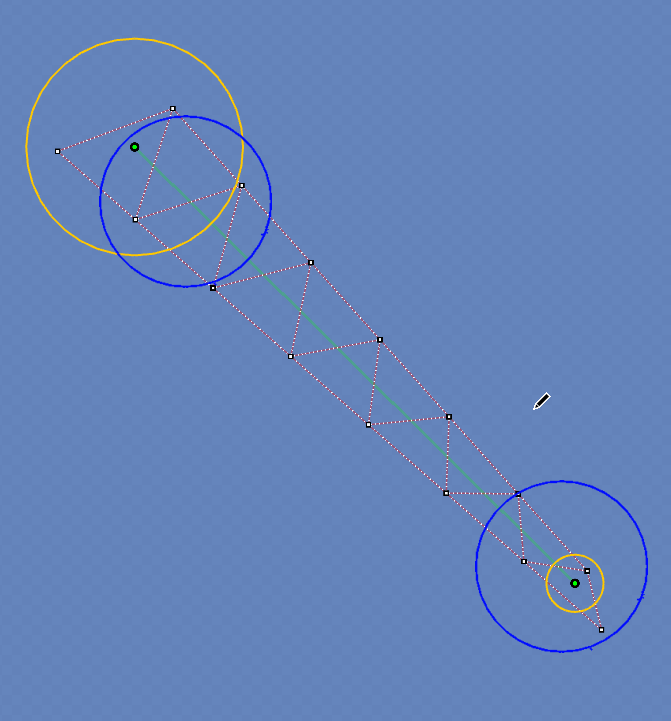
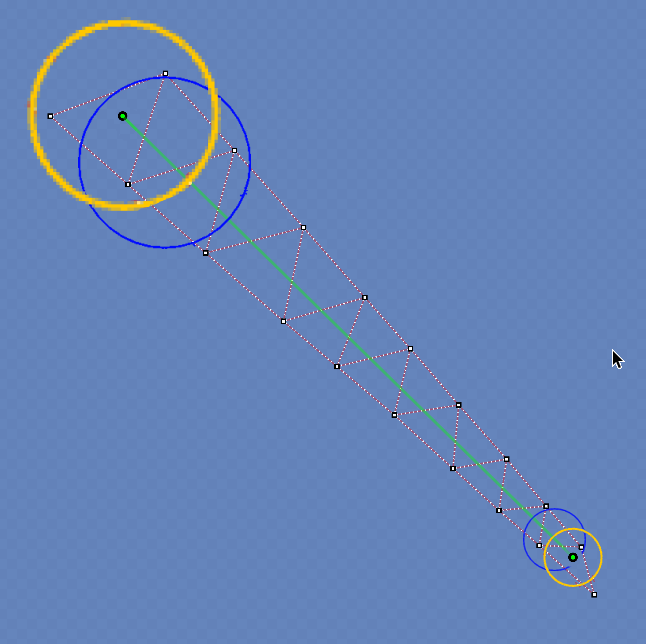
Something like this mockup
Would be extremelly useful when manual meshing hair, since usually the tip is what mostly moves so it needs more dense artmesh, thank you for your time!
Wanted to request if a feature could be added to the Mesh Mapping
Right now when you do Ctrl + click-drag we can change the mesh width
Could be added that with other key (Alt+click-drag for example) to change the mesh density
Something like this mockup
Would be extremelly useful when manual meshing hair, since usually the tip is what mostly moves so it needs more dense artmesh, thank you for your time!
Comments
Thank you for using our product.
We have shared your request with our development team.
We appreciate your cooperation.