
Categories
- All Categories
- 1.4K Cubism Editor
- 1.2K Help
- 54 Tips and Tricks
- 186 Feature requests
- 50 Other Live2D Products and Tools
- Cubism Viewer (for OW, for Unity)
- 3 Material Separation Photoshop Plug-in
- 47 Other Live2D Products and Tools (Other Photoshop Scripts, Sample Data, etc.)
- 291 Cubism SDK
- 260 Help
- 11 Tips and Tricks
- 20 Feature Requests
- 179 Community
- 37 General Discussions
- 10 Feature Requests
- 26 Projects, Showcase & Critiques
If you have any questions, reports, suggestions, or requests about Live2D, please send them to this forum.
※We cannot guarantee statements or answers from Live2D staff. Thank you for your understanding in advance.
Live2D Cubism
Cubism Products and Downloads
Cubism product manuals and tutorials
Cubism Editor Manual Cubism Editor Tutorial Cubism SDK Manual Cubism SDK Tutorial
※We cannot guarantee statements or answers from Live2D staff. Thank you for your understanding in advance.
Live2D Cubism
Cubism Products and Downloads
Cubism product manuals and tutorials
Cubism Editor Manual Cubism Editor Tutorial Cubism SDK Manual Cubism SDK Tutorial
[Regarding macOS Tahoe](Updated October 16, 2025)
macOS v26 Tahoe is now supported!
We advise against upgrading your macOS at this time as it may cause Live2D products not to function correctly.
Upgrading macOS can also cause you to lose your Cubism Editor license file.
Please make sure to deactivate your Cubism Editor license before upgrading the macOS.
For more details:
https://help.live2d.com/en/other/other_09/
macOS v26 Tahoe is now supported!
We advise against upgrading your macOS at this time as it may cause Live2D products not to function correctly.
Upgrading macOS can also cause you to lose your Cubism Editor license file.
Please make sure to deactivate your Cubism Editor license before upgrading the macOS.
For more details:
https://help.live2d.com/en/other/other_09/
For inquiries regarding issues with license purchases or license activation errors, please contact us through the email form.
Deformer unintended snapping

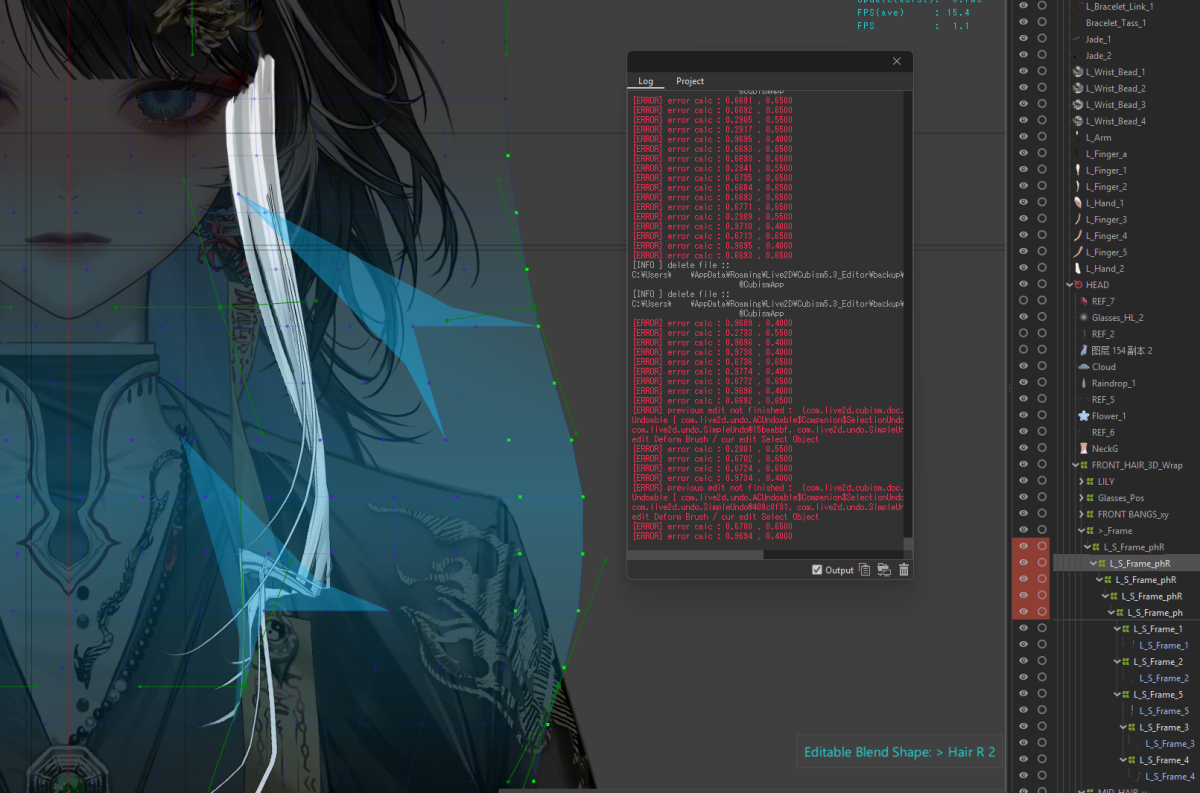
There is a bug that occurs in the recent beta (5.3.03) with rigging on a stacked warp deformer that has the same dimensions as the parent(s). You can see the bug in this video. In order to replicate the bug you will need to be on the most recent beta (5.3.03), here are the steps:
- Make a warp deformer
- Copy and paste this Warp deformer
- Stack the newly copied warp deformer
- Edit the child deformer on a key (happened most frequently while holding down "shift")
- A vert or two should randomly snap in an unintended way
*Edit, this happens with any deformer that is stacked together outside of the "Create Warp Deformer" window, not just copied and pasted dupes.
Tagged:
Comments
Thank you for using our product.
First, please tell us about your PC environment.
- OS & Version: (e.g., Windows 10, macOS High Sierra)
- PC Model: (e.g., MacBook Pro 2017)
- Graphics Specifications: (e.g., GeForce GTX 950M)
- CPU: (e.g., Intel Core i7-7700)
- Memory: (e.g., 8GB)
- Illustration Software Used: (e.g., Photoshop, ClipStudio, SAI)
Next, please store the model file and log file you are experiencing issues with in the data box below.
https://biz.datadeliver.net/posts/kCkrTtsDvDGQ
Please note that this data box will only be visible to the development team.
For information on how to retrieve logs, please see here.
https://help.live2d.com/en/other/other_22/
Thank you for your cooperation.
OS: Windows 11
PC Model: Custom Build
GPU: GeForce RTX 4080
CPU: i7-12700K
Memory: 96 GB
Software in use: Live2D 5.3.03, ClipStudio, Photoshop
the files have also been sent over!
also to add to the previous post, checking these settings did not help resolve the issue
The issue seems to happen after longer uptimes in Live2D. I encounter the bug less/not at all on a fresh launch but they appear more frequent 1+ hrs on a file. Not sure if this information is helpful but is something I noticed.
We apologize for the delayed response.
Our investigation has found that when using 5.3.00 beta3, there are certain situations where the calculations for the warp deformer produce unintended results.
We plan to fix this issue in a future update.
Thank you for your cooperation.
Thank you very much for your continued support of our products.
This is the Live2D team.
The issue you reported in this topic has been fixed in the latest version, 5.3.00 beta4.
Thank you very much for reporting the issue.
Please try using the latest version.
Thank you for reporting this issue.
For further investigation, please store the affected model file and log file in the data box below.
https://biz.datadeliver.net/posts/0NklDwAkUNDw
Please note that this data box will only be made available to the development team.
For instructions on how to retrieve logs, please see here.
https://help.live2d.com/en/other/other_22/
Thank you for your cooperation.
I have uploaded the model files to the link provided. Please let me know if you have any additional questions.
We apologize, but we did not receive your data.
Please try sending it again.
Thank you for your cooperation.