
Categories
- All Categories
- 1.4K Cubism Editor
- 1.2K Help
- 54 Tips and Tricks
- 187 Feature requests
- 50 Other Live2D Products and Tools
- Cubism Viewer (for OW, for Unity)
- 3 Material Separation Photoshop Plug-in
- 47 Other Live2D Products and Tools (Other Photoshop Scripts, Sample Data, etc.)
- 291 Cubism SDK
- 260 Help
- 11 Tips and Tricks
- 20 Feature Requests
- 179 Community
- 37 General Discussions
- 10 Feature Requests
- 26 Projects, Showcase & Critiques
If you have any questions, reports, suggestions, or requests about Live2D, please send them to this forum.
※We cannot guarantee statements or answers from Live2D staff. Thank you for your understanding in advance.
Live2D Cubism
Cubism Products and Downloads
Cubism product manuals and tutorials
Cubism Editor Manual Cubism Editor Tutorial Cubism SDK Manual Cubism SDK Tutorial
※We cannot guarantee statements or answers from Live2D staff. Thank you for your understanding in advance.
Live2D Cubism
Cubism Products and Downloads
Cubism product manuals and tutorials
Cubism Editor Manual Cubism Editor Tutorial Cubism SDK Manual Cubism SDK Tutorial
[Regarding macOS Tahoe](Updated October 16, 2025)
macOS v26 Tahoe is now supported!
We advise against upgrading your macOS at this time as it may cause Live2D products not to function correctly.
Upgrading macOS can also cause you to lose your Cubism Editor license file.
Please make sure to deactivate your Cubism Editor license before upgrading the macOS.
For more details:
https://help.live2d.com/en/other/other_09/
macOS v26 Tahoe is now supported!
We advise against upgrading your macOS at this time as it may cause Live2D products not to function correctly.
Upgrading macOS can also cause you to lose your Cubism Editor license file.
Please make sure to deactivate your Cubism Editor license before upgrading the macOS.
For more details:
https://help.live2d.com/en/other/other_09/
For inquiries regarding issues with license purchases or license activation errors, please contact us through the email form.
[BUG] Beta3 5.3.00 - Curve Editing

When selecting graphs in this way and editing values if you overselect too much to the back it doesn't register the changes, not only with empty graph/curves but happens to also really long curves, always.
Intended behavior
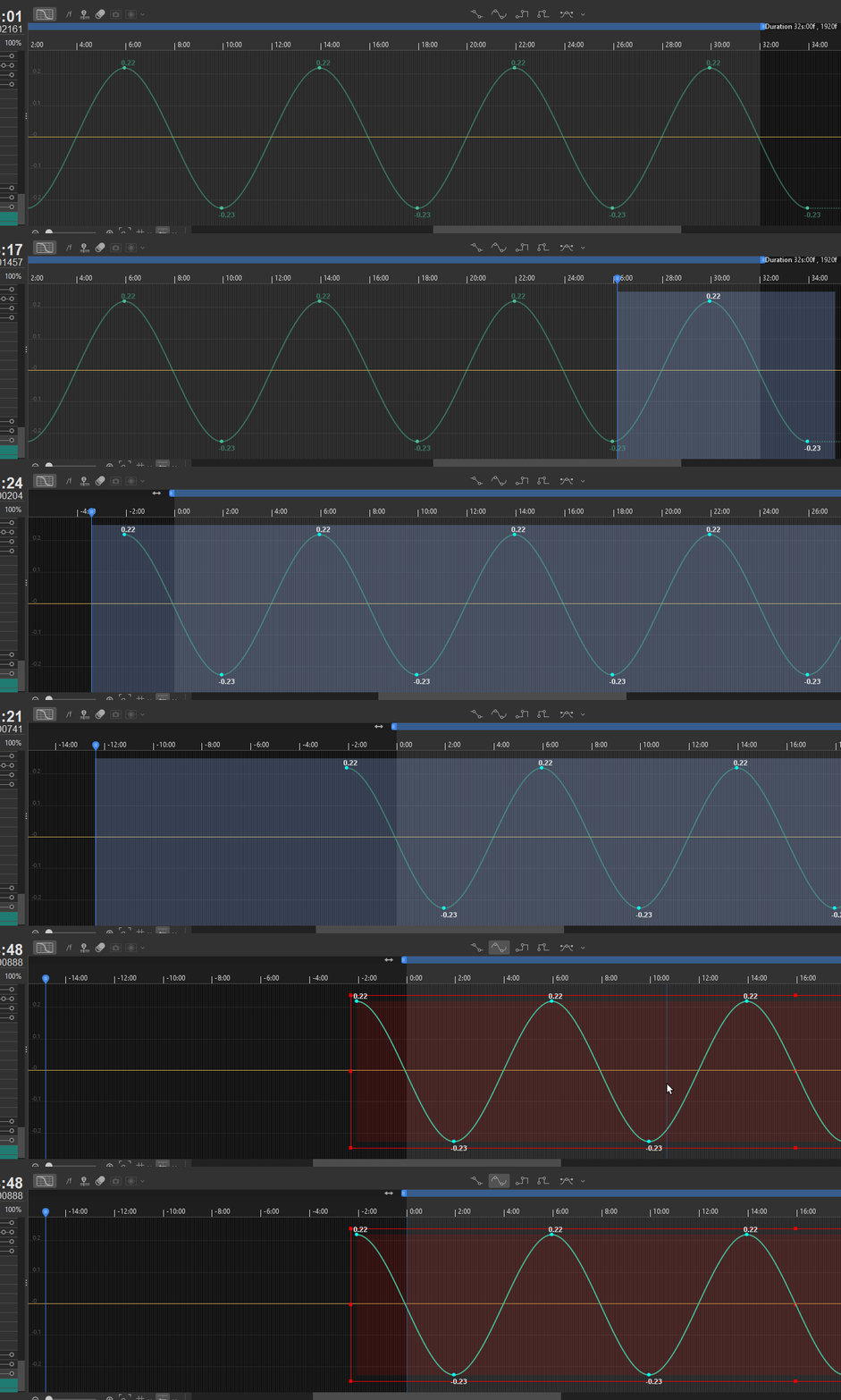
Behavior that happens when selecting too much (and doesn't save the position)
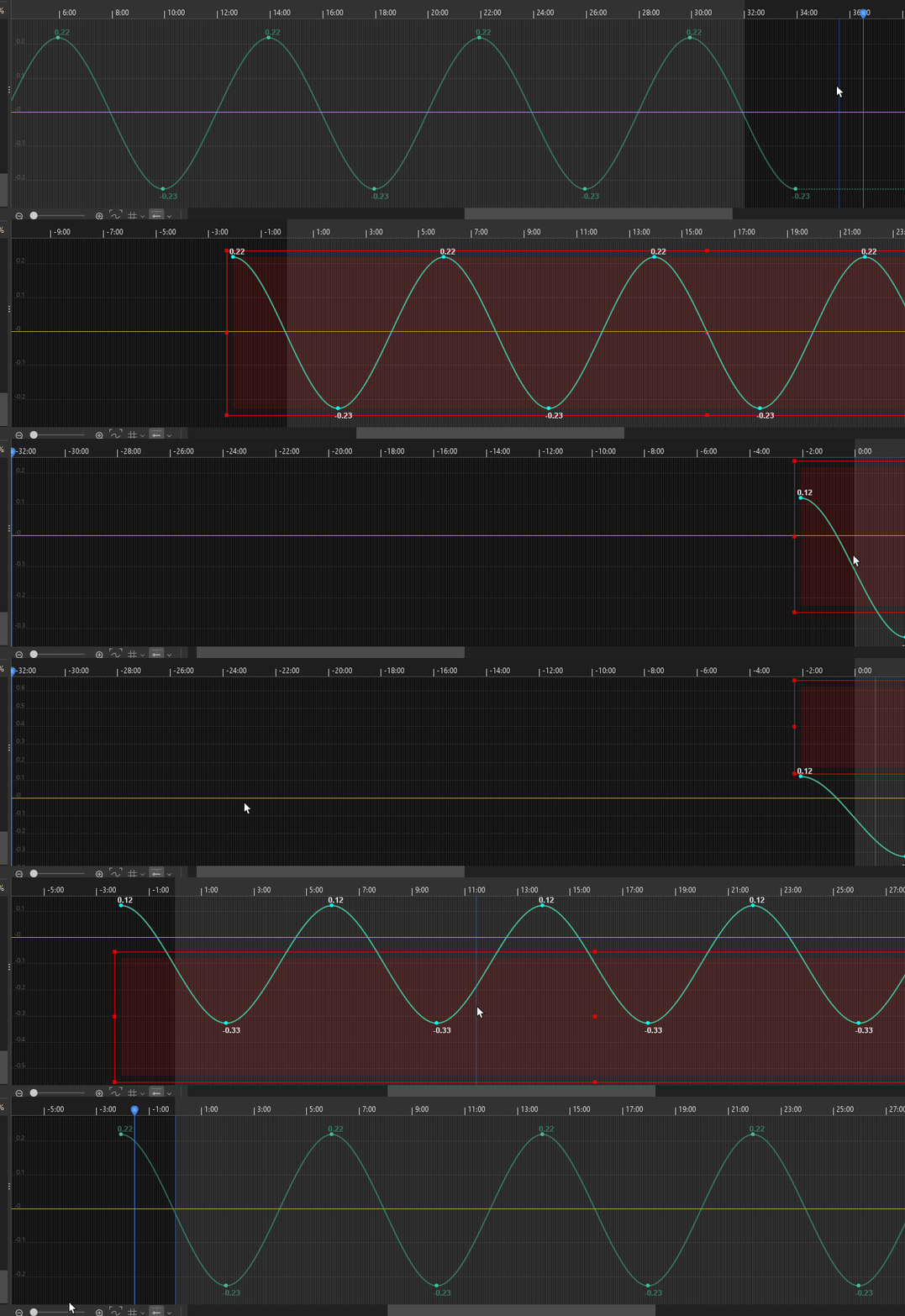
Excited to see it fixed on the official release and thank you for your great work!
Intended behavior
Behavior that happens when selecting too much (and doesn't save the position)
Excited to see it fixed on the official release and thank you for your great work!
Comments
Thank you for using our product.
We apologize for any inconvenience caused.
We have shared this issue with our development team.
Please be patient while we work to resolve this.
Thank you for your understanding.
The development team has a few questions for you regarding this issue.
1. Am I correct in understanding that this issue occurs when the values become unintended after manipulating the selected curve? If not, please explain in more detail.
2. I'm sorry, but it was difficult to determine the issue from the video alone.
Please tell us the specific steps you took after selecting the curve.
2. Does this issue occur from 5.3.00beta3? Does it also occur in beta2 or earlier versions?
4. Please store the affected model file, animation file, and log file in the data box below.
https://biz.datadeliver.net/posts/YVfjE5cFHgxM
Please rest assured that this data will only be shared with us.
For information on how to obtain logs, please see here.
https://help.live2d.com/en/other/other_22/
Thank you.
2.- For long scenes, at 60fps of over 4 seconds when you have the click to drag before the timeline (the new option on the bottom) if there is any point too much on the left/before the timeline starts
3.- Yes it happened since we have the option to go before the timeline starts!
4.- it wasnt a specific model >_ < it is just something slighty inconvenient when selecting curves, now retrying to do the bug it is really inconsistent but it seems to happen more when you select quickly a lot of points (selecting and ragging from right to left because is faster because of the position of the mouse)
Thank you for your reply.
We will share this with the development team and investigate.
We appreciate your cooperation.
We have attempted to reproduce the issue on multiple machines within our support team; however, at this time we have not been able to reproduce it, and our investigation is therefore ongoing.
Could you please let us know if there are any steps or operations related to the issue that you have not yet shared with us? If so, we would appreciate it if you could provide those details.
Additionally, please try checking whether the issue also occurs when using an official Live2D sample model.
As a workaround, which you may already be aware of, you can select all keyframes of the currently selected parameter by pressing Ctrl + A or by choosing “Select All” from the Edit menu.
Please feel free to use this method if it helps.
Not sure but i CANT replicate it anymore neither, if i encounter it again i will try to be more specific with it
Although the direct cause remains unclear, we would appreciate it if you could let us know by replying to this topic should the issue occur again.
We apologize for any inconvenience this may have caused.
Thank you for your understanding.
on the beta 4 as you can see on the png
I can replicate it, pretty consistent
(here happens)
(here it doesn't)
I think it happens for having multiple monitors (and them not being perfect alligned)
and when clicking and dragging and going into the border it overshoots to a coordinate that doesn't exist or something around that style, as you see on the gif showing when it happens i keep dragging the mouse over the border
on the logs shows no errors
I hope this helps to replicate the problem >_ < Thank you!!! and sorry for the issues, as you see is nothing major, and Ctrl+A works way better for most of it.
Sorry to jump in here, what scaling is each monitor set to?
For coordinate-related issues this can be crucial. If you can post those values, it could make it easier to pin down what's going on.
4 is at 125%.... All 4 monitors are 2560x1440
Is it a bug from windows? If so i could change it no problem >_ <
Thanks for the info! I don't have four monitors, but three instead, and my setup is different (one FHD and two 4K monitors), so the conditions are a bit different. I tried changing the layout and scaling value to something similar and tested it, but I couldn't reproduce the issue🫠